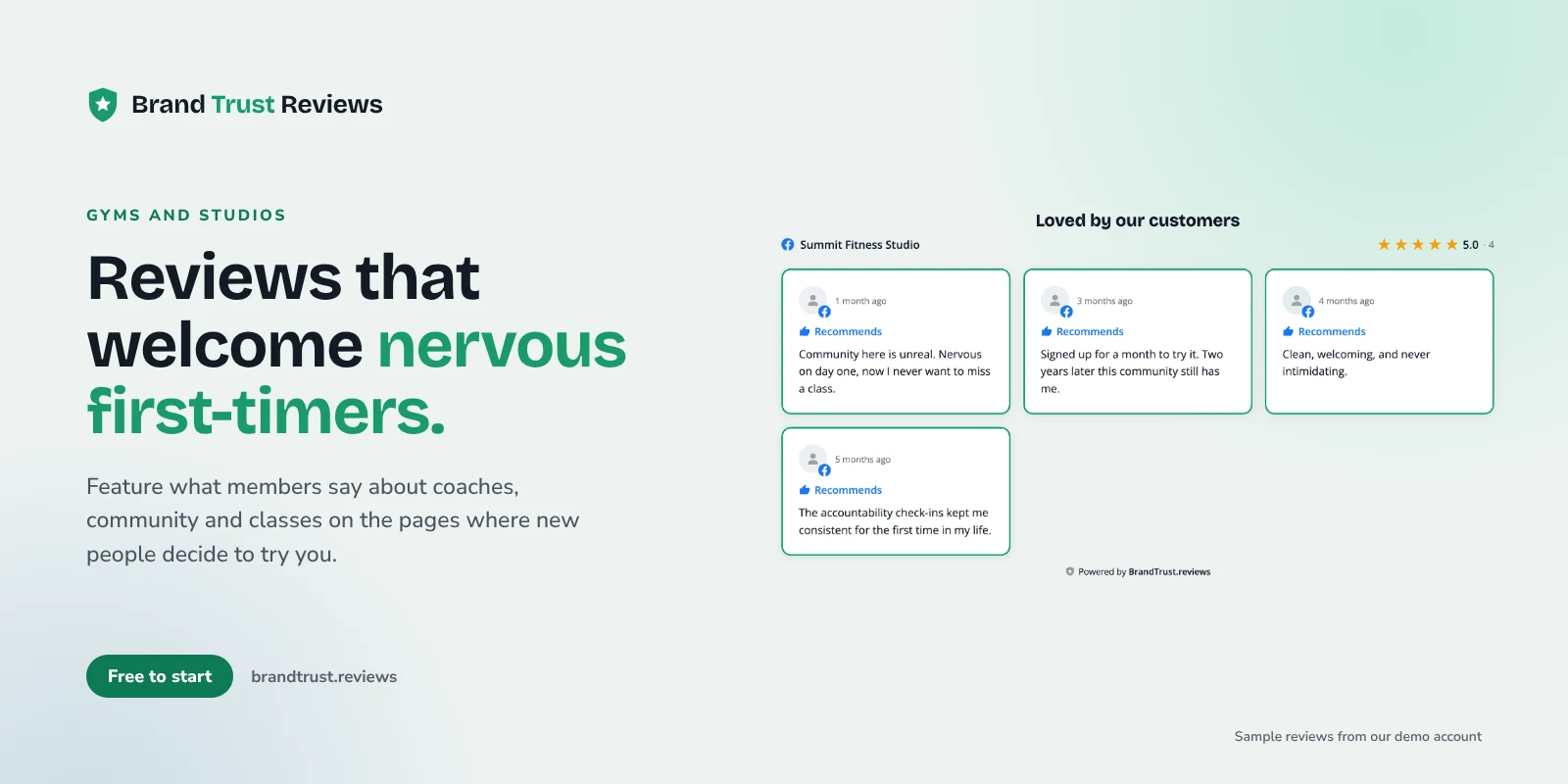
Putting gym reviews on your website is one of the simplest ways to calm a nervous first-timer before they walk through your door. Gyms, yoga and pilates studios, CrossFit boxes, martial arts schools and personal trainers all have the same problem: the person thinking about joining is often a little intimidated. Fitness studio reviews from real members answer the questions they are too shy to ask on the phone.
This guide covers which reviews to feature, where to put them, and how to keep them matched to the right programs and coaches, for owners and the agencies that build their sites.
What a nervous first-timer wants to know
Someone searching for a gym or studio is usually picturing their first class and wondering if they'll fit in. Their questions sound like this:
- Is it beginner-friendly? "Will I be the only one who can't do a pull-up?"
- Are the coaches patient? "Will someone show me what to do, or will I be lost?"
- What's the community like? "Is it welcoming, or cliquey?"
- Is it clean? Mats, bathrooms, locker rooms and shared equipment all come up in reviews for a reason.
- Do the class times work? "Can I actually make the 6 a.m. or the lunchtime class?"
- Will I get a hard sell? Pressure sales on a first visit is a common fear, and a big reason people put off trying a new gym.
Your homepage can claim "all levels welcome." A member saying "I was terrified on day one and the coach walked me through every movement" is what makes it believable.
Which reviews to feature
"Great gym!" is nice, but it doesn't help a beginner decide. Look for reviews that mention:
- Starting out. "I'd never lifted before and never felt judged" speaks directly to the biggest worry.
- Specific coaches. Reviews that name a coach and describe how they helped are gold for coach bio pages.
- Community. "People learn your name by week two" tells a newcomer what the room feels like.
- Cleanliness and facility. Short, concrete comments about clean mats or tidy locker rooms reassure people quickly.
- No pressure. "The intro session was relaxed, nobody pushed a contract on me" is worth featuring near any offer.
Keep claims honest
Some members write about dramatic results. Those stories are real to them, but don't feature reviews making specific weight-loss or health claims as if they're typical; choose reviews about the experience, the coaching and the community instead.
You also don't need to hide critical reviews to look good. A widget can feature your most helpful reviews while the headline rating and total count still reflect every review. With BrandTrust, the rating math always covers all reviews, not just the featured ones, so what visitors see stays honest.
Where to put reviews on a gym or studio website
A single "Testimonials" page is fine to have, but it's rarely where people decide. Spread reviews across the pages where decisions happen. Our guide to showing the right reviews on the right pages goes deeper on the strategy; here's how it applies to fitness.
Homepage
Put a carousel strip of your strongest general reviews below the hero, with your overall rating and review count. Lead with beginner-friendly, coaching and community reviews, since those apply to everyone.
Class and program pages
This is where matching pays off. Your beginners page should show reviews from people who started from zero. Your strength or barbell page should show reviews about form and progress. Your yoga or pilates page should show reviews about the instructors and the atmosphere. Kids and teens programs (common in martial arts schools) should show reviews from parents about safety, patience and confidence. A grid layout works well here, since visitors are in reading mode.
Coach and trainer bio pages
People choose a trainer or class partly based on who leads it. Show reviews that mention that coach by name on their bio page. For independent personal trainers, this may be the most important page on the site.
Free trial or intro offer landing page
Whether it's a free class, an intro week or an on-ramp program, this page is where a visitor is closest to signing up. Feature reviews about the first visit, how welcoming it was, and the lack of pressure. Place them right next to the signup form or booking button.
Schedule page
Visitors checking class times are already planning a visit. A short list of reviews mentioning convenient times, easy booking or punctual classes reinforces that the schedule actually works.
Badge in the header or footer
The badge layout shows your rating in a small element that opens the full reviews when clicked. It's a quiet way to keep social proof visible on every page without adding another big section.
Combine Google reviews and Facebook recommendations
Many gyms grow through word of mouth and member groups, so their Facebook Page carries a lot of community proof. Facebook Pages use yes or no recommendations rather than star ratings, and for a community-driven box or studio they say a lot about the culture.
On paid plans, you can show Google reviews and Facebook recommendations together in one widget. Each review is labeled by its source, and Facebook entries show "Recommends" rather than a star score, so visitors always know where a review came from. If you haven't connected Facebook before, our walkthrough on how to show Facebook reviews on your website covers the setup. You can also start with the Google reviews widget or the Facebook recommendations widget on their own.
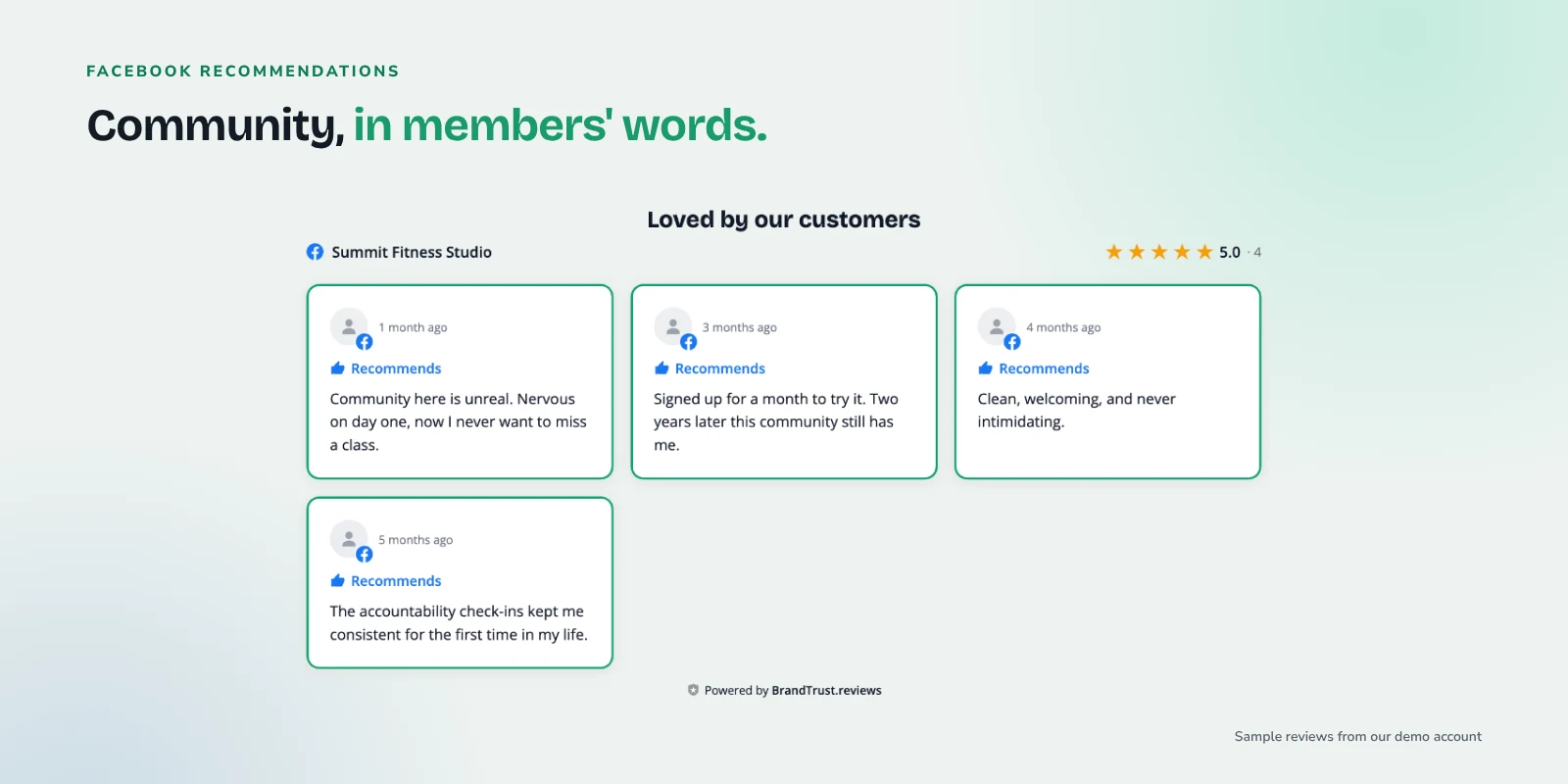
Example: Facebook recommendations for a demo gym, each labeled "Recommends."
Route reviews by program or coach with tags
Basic tags (on paid plans) let you label reviews yourself, for example "Beginners," "Yoga," "Kids" or a coach's name, and then build a widget that only shows reviews with that tag.
Smart Tags (on the Growth plan) do the labeling automatically by keyword. You set keywords like "first class," "never worked out" and "nervous" for a Beginners tag, or a coach's first name for their tag, and new reviews that mention those words flow to the matching widget as they sync. A review mentioning "Coach Dana" and "kettlebells" can show up on both Dana's bio page and your strength page without you touching anything.
Style it to match a dark brand
Plenty of gyms, boxes and martial arts schools use dark, high-contrast brands. A bright white review card can look pasted in on a site like that.
The widget design supports dark mode, so you can style cards with dark backgrounds, light text and your accent color for stars and highlights. Custom CSS is available on paid plans if your designer wants to fine-tune fonts or borders further, and saved style presets on Growth make it easy to reuse the same look across every widget.
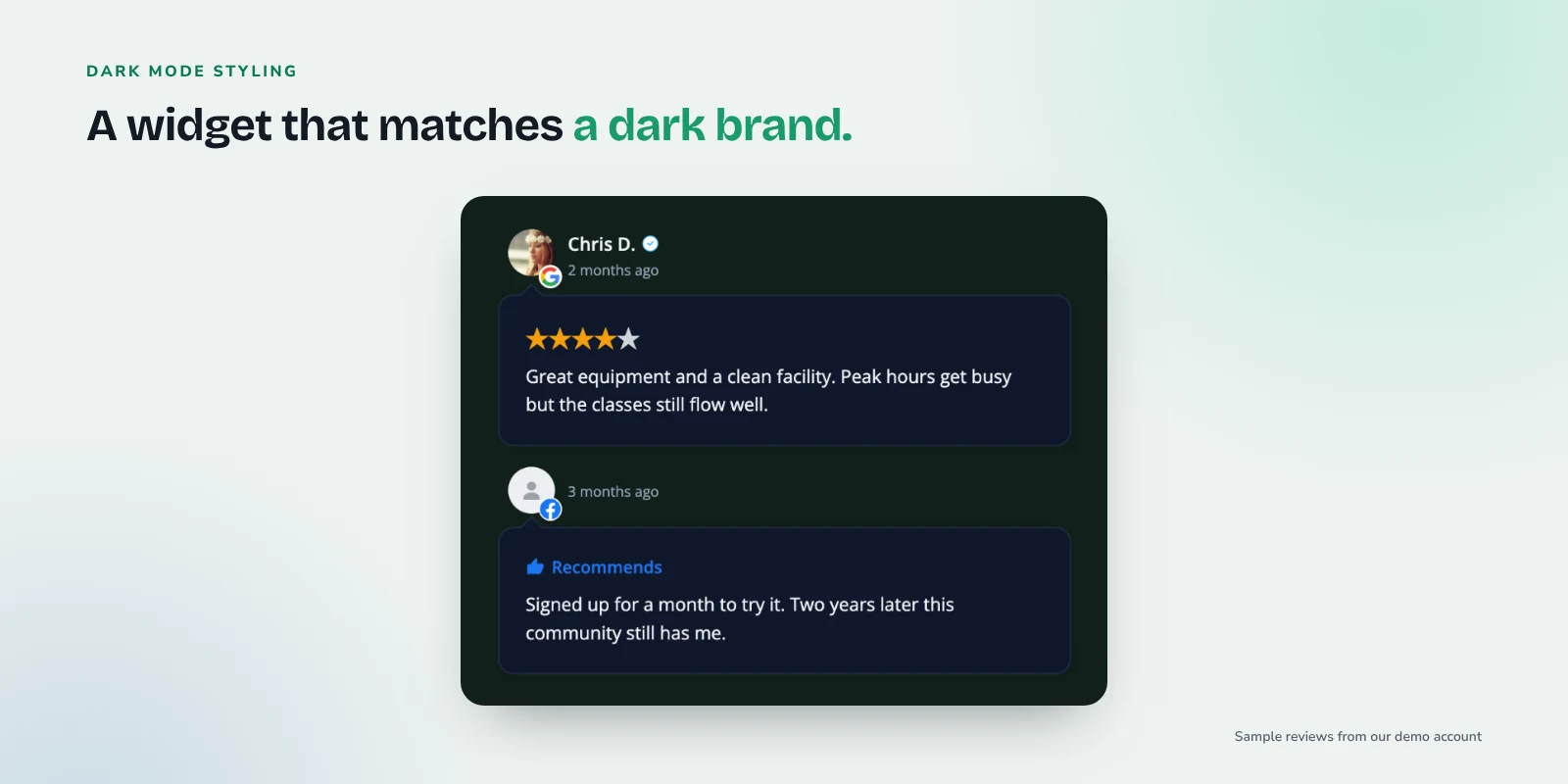
Example: a dark-styled widget that matches a dark gym brand.
Choosing layouts
All layouts are available on every plan, including free:
- Carousel: a compact strip for the homepage or above the footer.
- Grid: good for program pages where people read several reviews.
- List: works well in a narrow column next to a signup form or schedule.
- Masonry: handles a mix of short and long reviews, nice on a dedicated reviews page.
- Badge: a small rating element that opens the reviews when clicked, ideal for headers.
Embedding is one snippet of JavaScript (a div plus a script tag), so it works on WordPress, Wix, Squarespace, Webflow and most builders that allow custom code.
Asking members for reviews
The more reviews you have, the easier it is to fill each program page. Good moments to ask include after a member's first month, after a milestone like a first belt or a first unassisted pull-up, or after a great workshop. Our post on how to ask customers for reviews, with templates has wording you can adapt for email, text or a front-desk sign.
One rule to keep in mind: Google's review content policy doesn't allow offering incentives, like discounts or free classes, in exchange for reviews.
Building sites for other local businesses too? Our guide to home service business reviews on your website applies the same approach to the trades.
Quick checklist
- Feature reviews about beginners, coaching, community, cleanliness, schedule and no-pressure visits.
- Skip featuring reviews with specific weight-loss or health claims; pick experience and community reviews instead.
- Add a carousel strip to the homepage and a grid to each program page.
- Put coach-specific reviews on each coach or trainer bio page.
- Add first-visit reviews next to the signup form on your free trial or intro offer page.
- Show a short list on the schedule page and a badge in the header.
- Combine Google reviews and Facebook recommendations with source labels (paid plans).
- Tag reviews by program and coach, or use Smart Tags to route them automatically (Growth).
- Style the widget to match your brand, including dark mode for dark sites.
- Ask members for reviews at natural milestones, without incentives.
Frequently asked questions
Will showing reviews on my gym website get me star ratings in Google search?
No. Google's review snippet guidelines say pages for a business that controls reviews about itself aren't eligible for review stars, and that includes reviews shown through a widget.
Can I show different reviews on my yoga page and my strength page?
Yes. You can build separate widgets filtered by tag, so each program page shows reviews about that program. Basic tags are on paid plans, and Smart Tags on Growth apply the tags automatically by keyword.
Can I combine Google and Facebook in one widget?
On paid plans, yes. Each review is labeled by its source, and Facebook recommendations show "Recommends" instead of a star rating. See current plans on the compare page.
Will the widget look right on my dark-themed site?
Yes, the widget design supports dark mode, and custom CSS on paid plans allows further tweaks.
I'm an agency managing several gyms. Can I keep them separate?
The Pro plan includes projects and team workspaces, with per-project styles, tags and analytics, so each client's widgets stay organized. See current plans on the compare page.
Try it with your own reviews
If you'd like to try it with your own gym or studio, you can start on the free plan at BrandTrust.reviews. There's no credit card and no trial timer, so you can connect your Google reviews, pick a layout, and see how it looks on your site before deciding anything else.