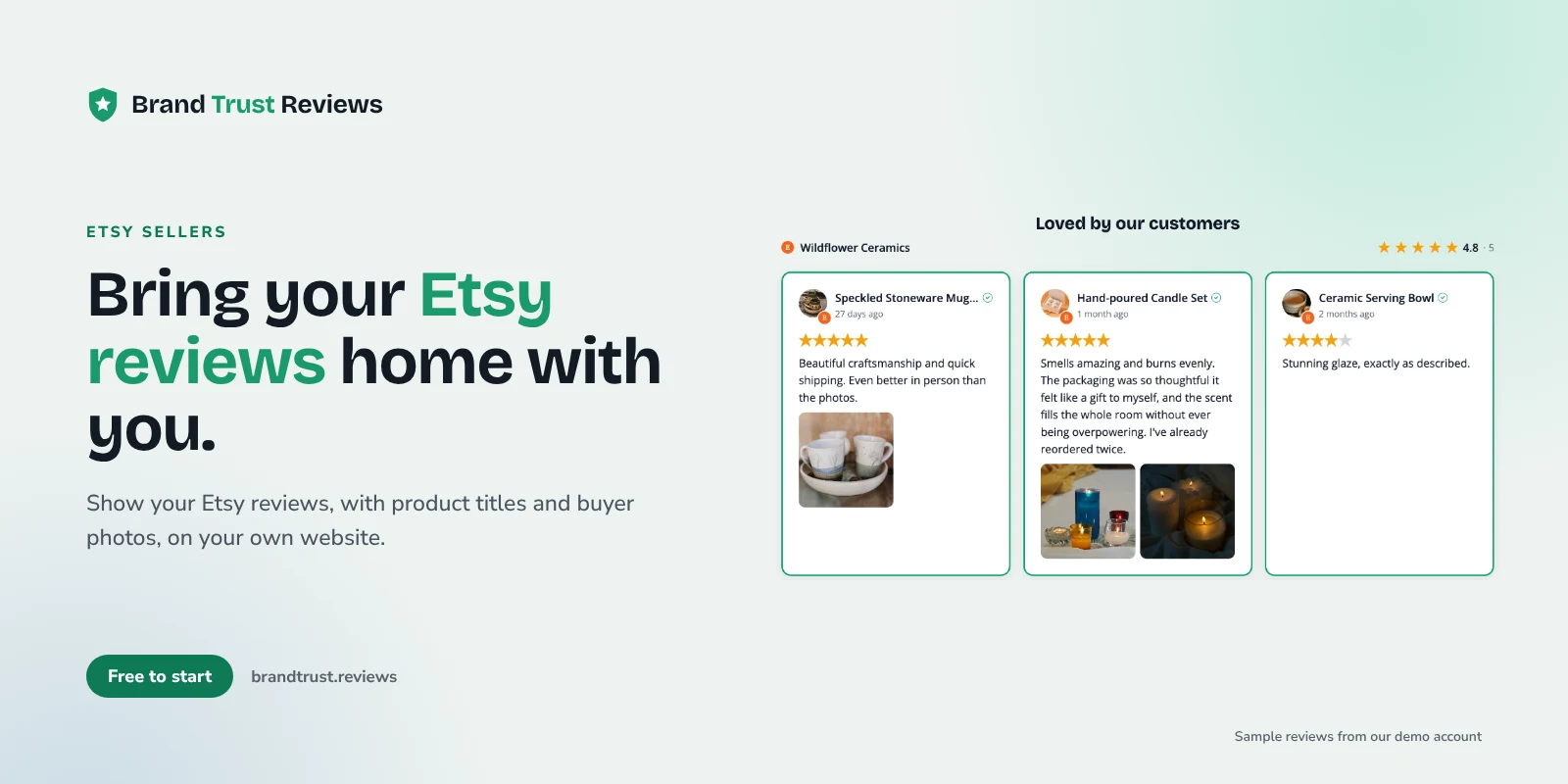
If you sell on Etsy and also run your own store, putting Etsy reviews on your website is one of the simplest ways to carry your shop's reputation with you. Years of five-star feedback on mugs, prints or jewelry don't have to stay locked inside Etsy. A shopper who finds you on Google, Instagram or a craft fair business card lands on your own site with no idea that hundreds of people already love what you make.
This guide is for Etsy sellers who also have a Shopify, Squarespace, Wix or WordPress/WooCommerce site. It covers how Etsy reviews work, how to connect your shop, which layouts suit them, where to put them, and how to keep them current without copying and pasting.
Why your Etsy reputation matters off Etsy
On Etsy, your reviews sit right under every listing. Buyers see them without thinking about it. On your own site, that proof disappears unless you bring it along.
That gap matters most for:
- New visitors from social media or search. They've never heard of you and have no marketplace safety net.
- Higher priced or custom work. Someone ordering a custom wedding piece wants to know you deliver.
- Gift buyers. They're buying for someone else and want reassurance that the item looks as good in person.
- Wholesale and stockist inquiries. A shop owner checking you out wants to see that real customers keep coming back.
Your Etsy reviews already answer these questions. Showing them on your own site lets them keep working when a shopper isn't on Etsy.
How Etsy reviews work
A few things about Etsy reviews shape how they look on your website.
Reviews are tied to a listing
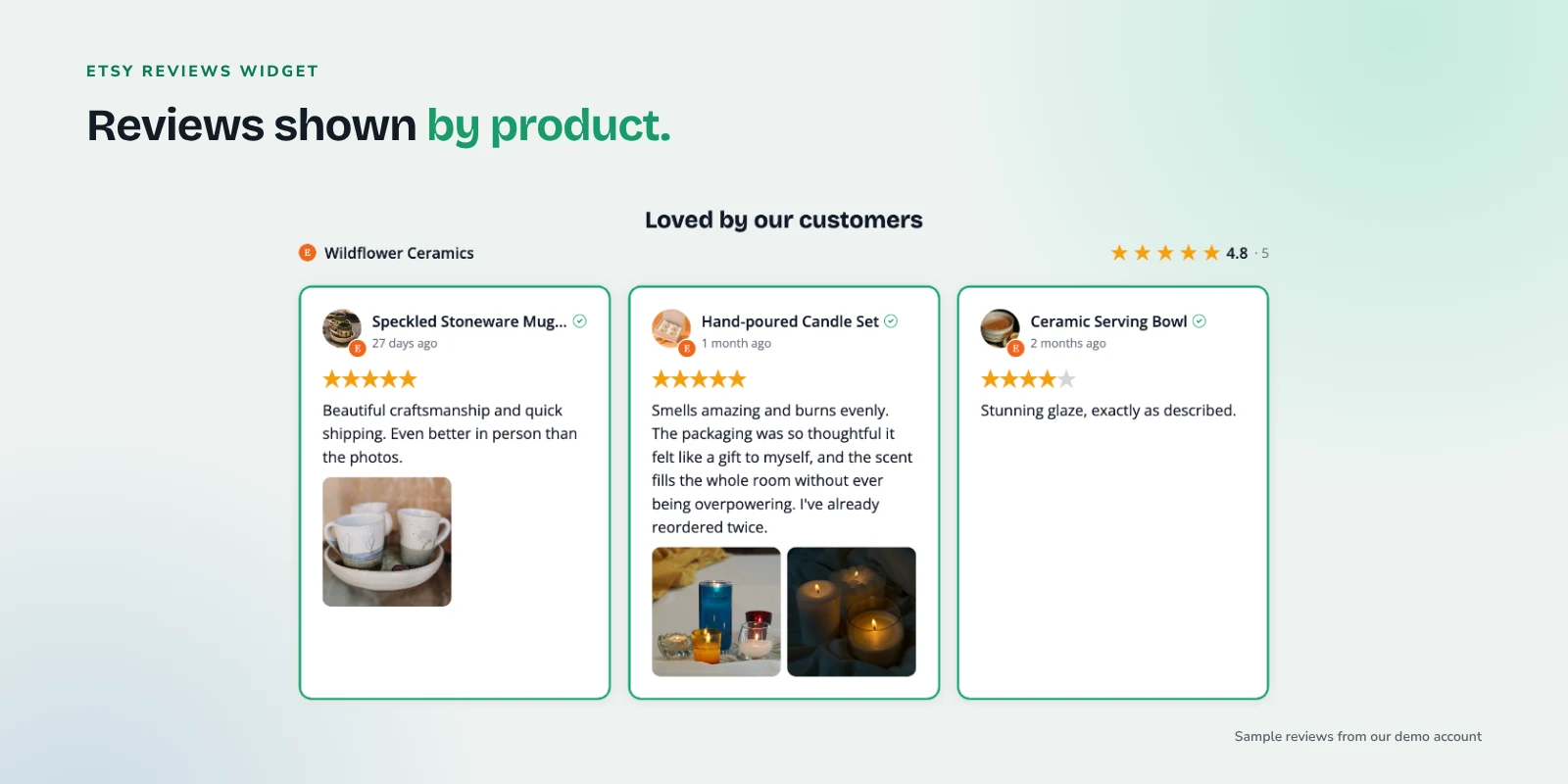
Etsy's help page on how to leave a review explains that buyers review individual items from a specific order, using a star rating where 1 is the lowest and 5 is the highest. Buyers can also add a photo or video to a review. So every Etsy review belongs to a product, not just to your shop in general. That's useful, because it means you can match reviews to the products you sell on your own store.
What BrandTrust shows on each review card
Because each review is attached to a listing, BrandTrust shows the product title and listing photo on each Etsy review card instead of a buyer name. Etsy's API doesn't provide buyer names, so rather than showing a blank or a generic placeholder, the card leads with the item that was reviewed. In practice this reads well on a shop site: visitors see "Speckled stoneware mug" with a photo and a glowing review underneath, which tells them more than a first name would.
Buyer photos
When a buyer attached a photo to their review, BrandTrust can display it alongside the text. Photos of your work in real homes are some of the most convincing proof you have. BrandTrust serves reviewer photos through its own servers, so a visitor's IP address isn't exposed to the source platform.
Connecting your Etsy shop
Connecting takes a couple of minutes:
- Create a free BrandTrust account.
- Add Etsy as a source and paste your shop name or shop URL.
- BrandTrust pulls your public reviews through Etsy's official Open API.
There's no buyer login involved and nothing for your customers to do. The reviews come straight from what's already public on your shop. You can see more on the Etsy reviews widget page.
Building your widget
Once your reviews are imported, pick a layout in the builder. All layouts are available on the free plan.
Masonry for photo-heavy reviews
Masonry stacks cards of different heights into columns, like a Pinterest board. It suits Etsy reviews well because some have buyer photos and some don't, and some are a sentence while others are a paragraph. Masonry lets each card take the space it needs without awkward gaps.
Grid for a tidy, even look
A grid keeps every card the same size. It works well on a dedicated reviews page or a section where you want a clean, structured look that matches the rest of your store.
Carousel strip for tight spaces
A carousel shows a row of reviews that visitors can scroll through. It's compact, which makes it a good fit for a homepage band or the area just under a product description.
You can also use the list layout for a simple stacked column, or a badge that shows your rating and opens the full set of reviews when clicked.
Whatever layout you pick, you can filter out reviews you don't want front and center, order them by date or rating, and feature favorites. The headline rating and total count always reflect all of your imported reviews, not just the ones you feature.
Where to place Etsy reviews on your site
A few well placed reviews do more than a long wall on a page nobody visits. Our guide on showing the right reviews on the right pages goes deeper on this, but here's how it applies to an Etsy seller.
Homepage
A carousel or short masonry section near the top tells first-time visitors that real buyers trust you. Lead with reviews that have photos.
Product pages on your own store
This is where Etsy reviews earn the most. If you sell the same stoneware mug on Etsy and on your own store, show reviews for that mug next to the add-to-cart button. Each Etsy review card shows its product title, so you can see at a glance which reviews belong with which item, then tag or feature those reviews in the widget for that product page. On the Growth plan, Smart Tags can tag reviews automatically by keyword, so reviews mentioning "planter" flow to your planter page.
About page
Your about page tells your story as a maker. A handful of reviews that mention care, packaging or communication backs that story up with outside voices.
Gift guide pages
If you build seasonal gift guides, add reviews that mention gifts, birthdays or holidays. Gift buyers want to hear from other gift buyers. Our post on reviews for local shops and boutiques has more ideas for seasonal and gift placement.
Combining Etsy with your other reviews
Many sellers have reviews in more than one place: Google reviews from craft fairs or a studio, Facebook recommendations from local fans, and product reviews on their own store through WooCommerce or Judge.me on Shopify.
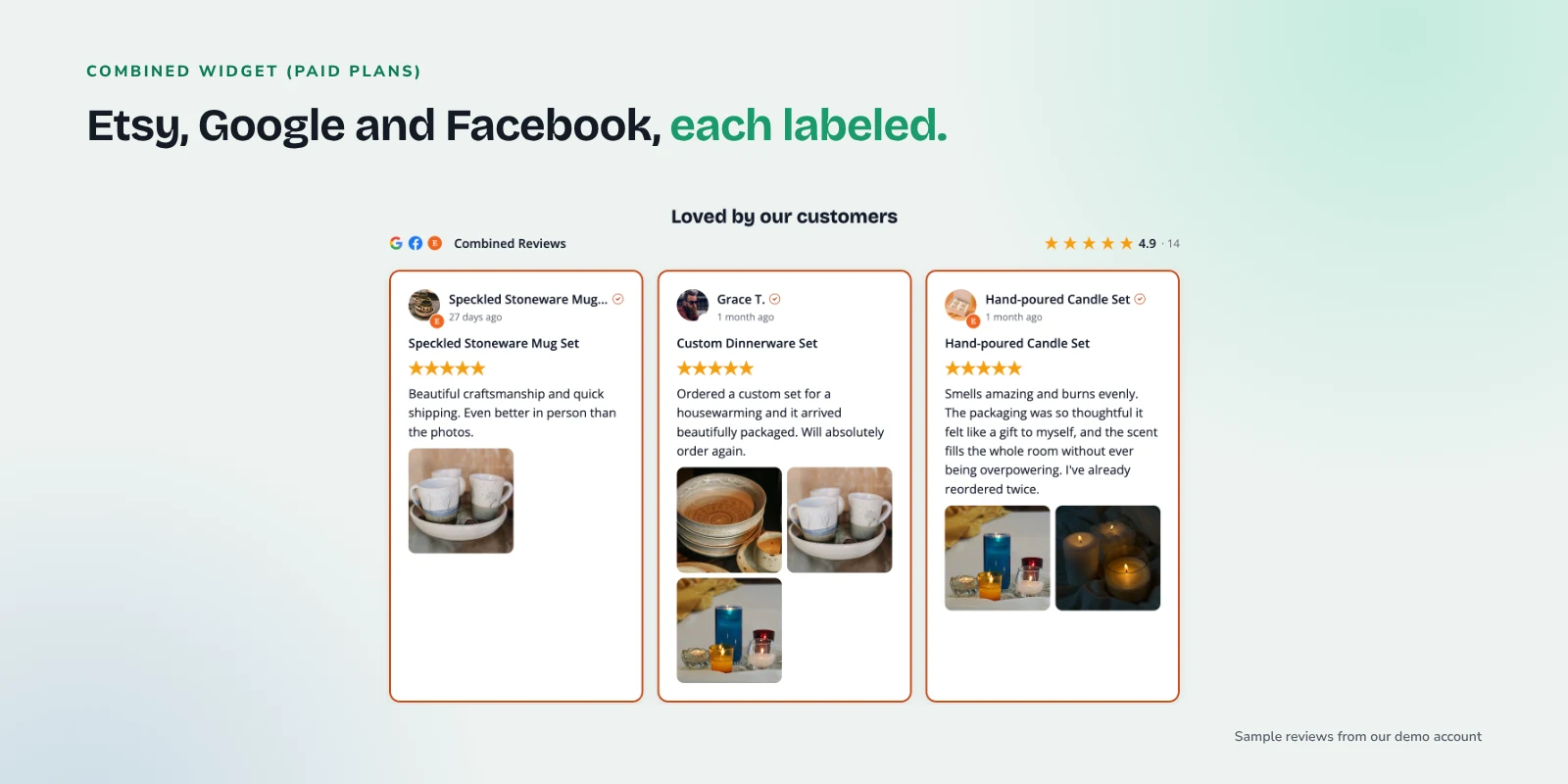
On paid plans, you can combine these sources in one widget. Each review is labeled by its source, so visitors can tell an Etsy product review from a Google review or a Facebook recommendation. That transparency helps, because it shows the praise comes from several independent places.
If you're on Shopify and already use Judge.me, our guide on showing Judge.me reviews with Google reviews on Shopify walks through a similar setup. See current plans for which features come with each tier.
Embedding on your platform
Every BrandTrust widget embeds with one snippet: a div and a script tag. Copy it from the builder and paste it where you want the reviews to appear.
- Shopify: Add a Custom Liquid section in the theme editor and paste the snippet. See the Shopify reviews widget page.
- Squarespace: Use a Code block on the page. See the Squarespace reviews widget page.
- Wix: Add an Embed HTML element. See the Wix reviews widget page.
- WordPress and WooCommerce: Paste the snippet in a Custom HTML block, or use the native WordPress plugin, which renders reviews on your own server. Plugin views don't count against your monthly view limit.
The same snippet works if you later move platforms, so you won't need to rebuild anything.
Keeping reviews current with sync
New Etsy reviews show up in your widget automatically. The free plan syncs daily, so a review a buyer leaves today will usually appear on your site by tomorrow without you touching anything. No more screenshots that go stale or copied quotes that never get updated.
Common problems and fixes
My widget shows no reviews. Check that you entered the correct shop name or URL and that the shop has public reviews. A brand new shop with no reviews yet has nothing to import.
A recent review isn't showing. Give the next sync time to run. On the free plan that happens once a day.
Reviews don't show the buyer's name. That's expected. BrandTrust shows the product title and listing photo instead, because Etsy's API doesn't provide buyer names.
The widget doesn't appear on my page. Make sure both parts of the snippet (the div and the script tag) were pasted. Some page builders strip scripts from text blocks, so use the platform's dedicated code or embed element.
I want more reviews to show. BrandTrust displays reviews you already have. If you need more, our guide on how to ask customers for reviews has templates you can adapt for Etsy order follow-ups.
Frequently asked questions
Do my customers need to log in to anything?
No. BrandTrust pulls your shop's public reviews through Etsy's official API. Buyers don't log in, and you don't need to ask them for anything.
Why don't my Etsy reviews show buyer names?
Etsy's API doesn't provide buyer names, so BrandTrust shows the product title and listing photo for each review instead. Many sellers find this more useful, since visitors see exactly which item the review is about.
Will Etsy reviews on my site give me stars in Google search?
No. Google doesn't show review stars for a business's own reviews displayed on its own website, including reviews shown through a third-party widget. Reviews on your site help visitors decide; they aren't a shortcut to rich results.
Can I show Etsy reviews together with my Google reviews?
Yes, on paid plans. You can combine Etsy with Google, Facebook recommendations, WooCommerce or Judge.me in one widget, and each review is labeled by its source.
Can I show reviews for one product on its matching product page?
Yes, where the products line up. Each Etsy review card shows its product title, so you can tag or feature the matching reviews in each product page's widget. Smart Tags on the Growth plan can tag reviews automatically when the review text mentions a keyword you choose.
Try it with your own shop
If your Etsy shop has reviews worth showing, you can connect it and build a widget on the free plan at BrandTrust. There's no credit card and no trial timer, so you can see your own reviews on your own site and decide from there.